Building CRUD API using Flask and MySQL
Subject: Microservice Programming (VU-CSS 325)Learning Objectives
By the end of this lesson, you will be able to:
• Understand what CRUD means in the context of APIs.
• Set up a Flask project connected to MySQL using PyMySQL.
• Implement Create, Read, Update, and Delete endpoints.
• Test your API with tools like Postman
CRUD
CRUD is an acronym that stands for Create, Read, Update, and Delete. These are the four fundamental operations used in software applications to interact with persistent data (data stored in databases, files, or other storage systems).
1. Create: This means adding new information. For example, when you register a new user or post a blog entry, you’re creating data.
2. Read: This is about retrieving or viewing existing information. Checking a profile or searching for products are examples of reading data.
3. Update: This involves modifying existing information without making a new record. Editing account details or changing a password are common update actions.
4. Delete: This means removing information from the system. Deleting a comment or canceling an order are examples of deleting data.
Together, these four actions form the backbone of how most software applications interact with databases or storage systems. They’re the essential building blocks of almost every app you use daily.
Setup
1. Install dependencies: pip install flask pymysql
PyMySQL : is a pure-Python MySQL and MariaDB client library; in simpler terms, it’s a tool that allows Python programs to connect to and interact with MySQL or MariaDB databases.
2. Create a database and table in MySQL (You can use phpmyadmin):
CREATE DATABASE testdb;
USE testdb;

CREATE TABLE users (
    id INT AUTO_INCREMENT PRIMARY KEY,
    name VARCHAR(100),
    email VARCHAR(100)
);
Configuration
Create the DB configuration python file config.py and have it content as below:
DB_HOST = 'localhost'
DB_USER = 'root'
DB_PASSWORD = 'yourpassword'
DB_NAME = 'testdb'
Flask App with CRUD
Create the app.py file and let its conent be the CRUD code below:
from flask import Flask, request, jsonify
import pymysql

app = Flask(__name__)
app.config.from_pyfile('config.py')

def get_db_connection():
    return pymysql.connect(
        host=app.config['DB_HOST'],
        user=app.config['DB_USER'],
        password=app.config['DB_PASSWORD'],
        database=app.config['DB_NAME'],
        cursorclass=pymysql.cursors.DictCursor
    )

# CREATE
@app.route('/users', methods=['POST'])
def add_user():
    data = request.json
    conn = get_db_connection()
    cursor = conn.cursor()
    cursor.execute("INSERT INTO users (name, email) VALUES (%s, %s)", (data['name'], data['email']))
    conn.commit()
    cursor.close()
    conn.close()
    return jsonify({'message': 'User added successfully!'})

# READ
@app.route('/users', methods=['GET'])
def get_users():
    conn = get_db_connection()
    cursor = conn.cursor()
    cursor.execute("SELECT * FROM users")
    users = cursor.fetchall()
    cursor.close()
    conn.close()
    return jsonify(users)

# UPDATE
@app.route('/users/<int:id>', methods=['PUT'])
def update_user(id):
    data = request.json
    conn = get_db_connection()
    cursor = conn.cursor()
    cursor.execute("UPDATE users SET name=%s, email=%s WHERE id=%s", (data['name'], data['email'], id))
    conn.commit()
    cursor.close()
    conn.close()
    return jsonify({'message': 'User updated successfully!'})

# DELETE
@app.route('/users/<int:id>', methods=['DELETE'])
def delete_user(id):
    conn = get_db_connection()
    cursor = conn.cursor()
    cursor.execute("DELETE FROM users WHERE id=%s", (id,))
    conn.commit()
    cursor.close()
    conn.close()
    return jsonify({'message': 'User deleted successfully!'})

if __name__ == '__main__':
    app.run(debug=True)
Testing the API end-points
You can use PostMan to test the API
Create
POST /users → { "name": "Onuorah", "email": "onuorah@example.com" }
Read
GET /users
Update
PUT /users/1 → { "name": "Updated Name", "email": "new@example.com" }
Delete
DELETE /users/1
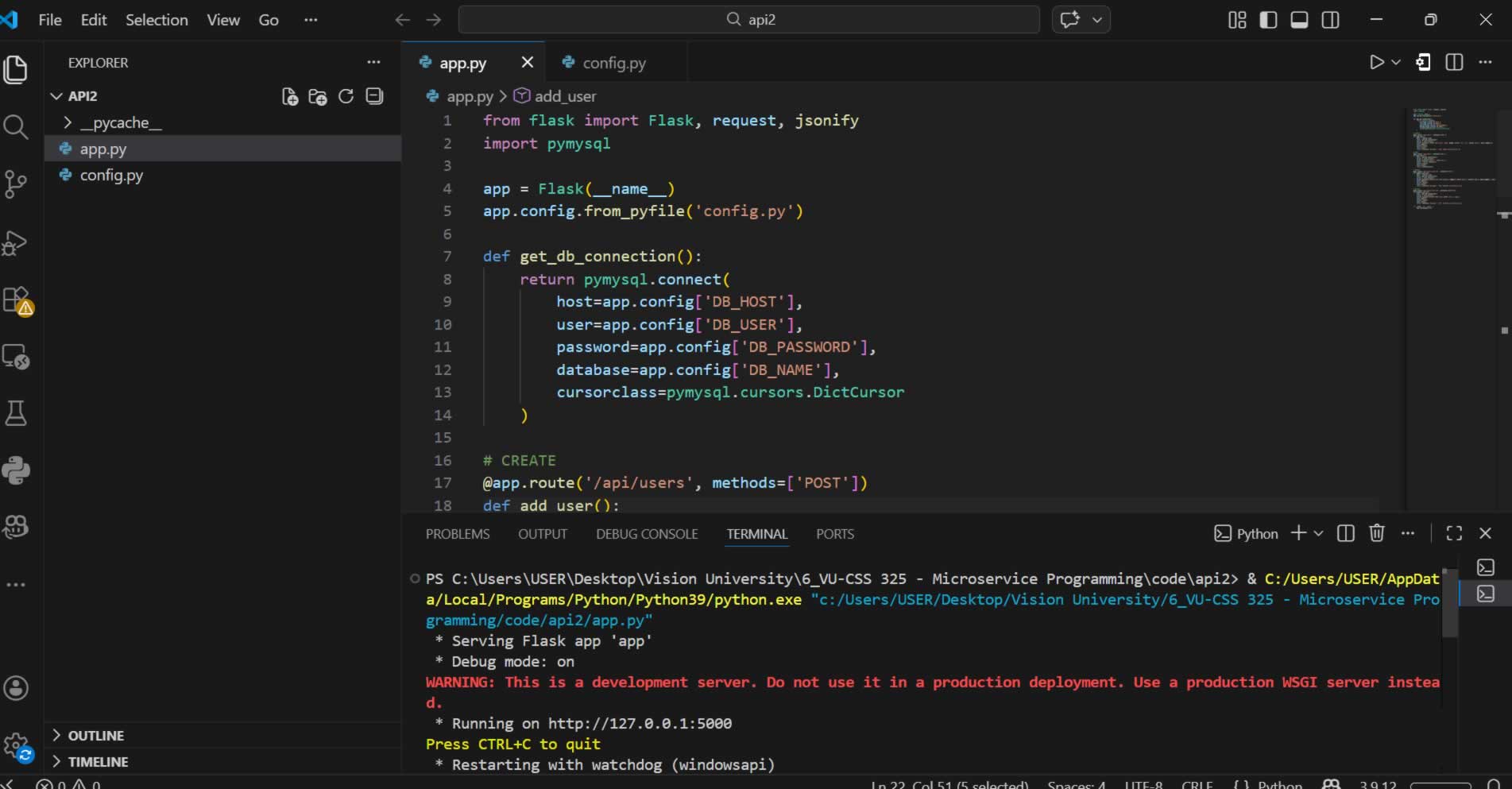
Ran the code in VS Code
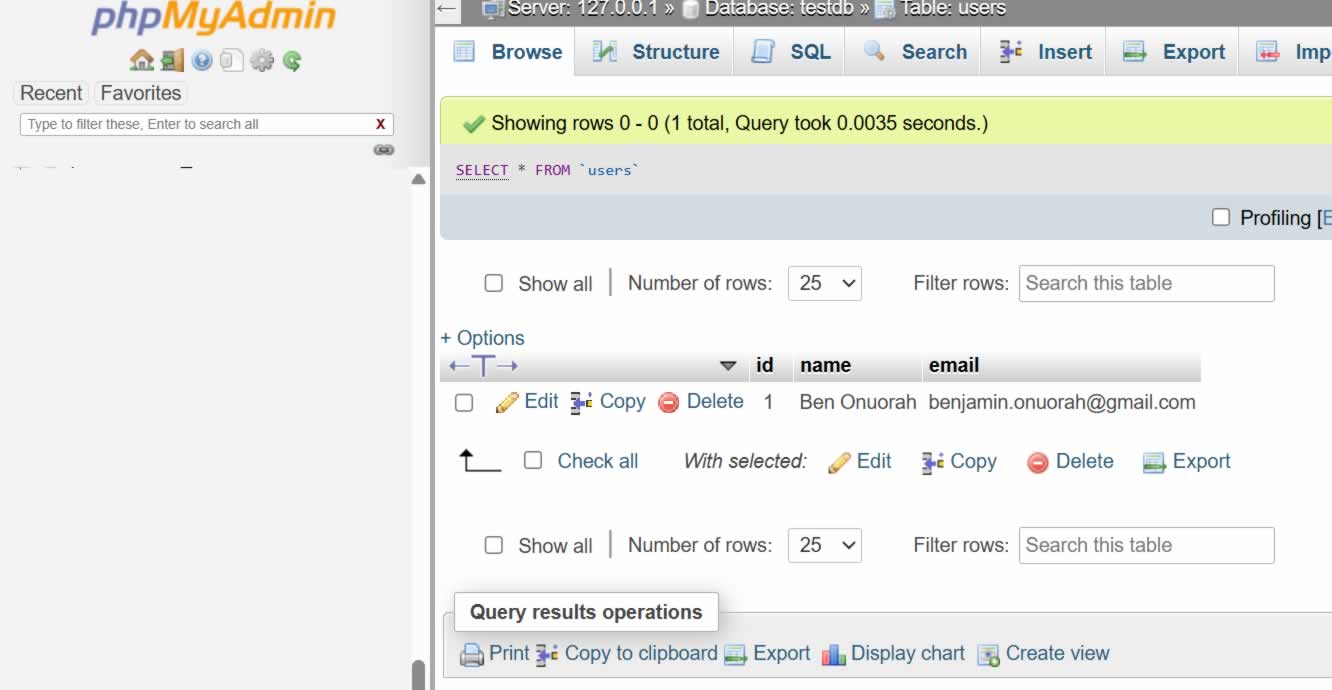
Data inserted into the DB
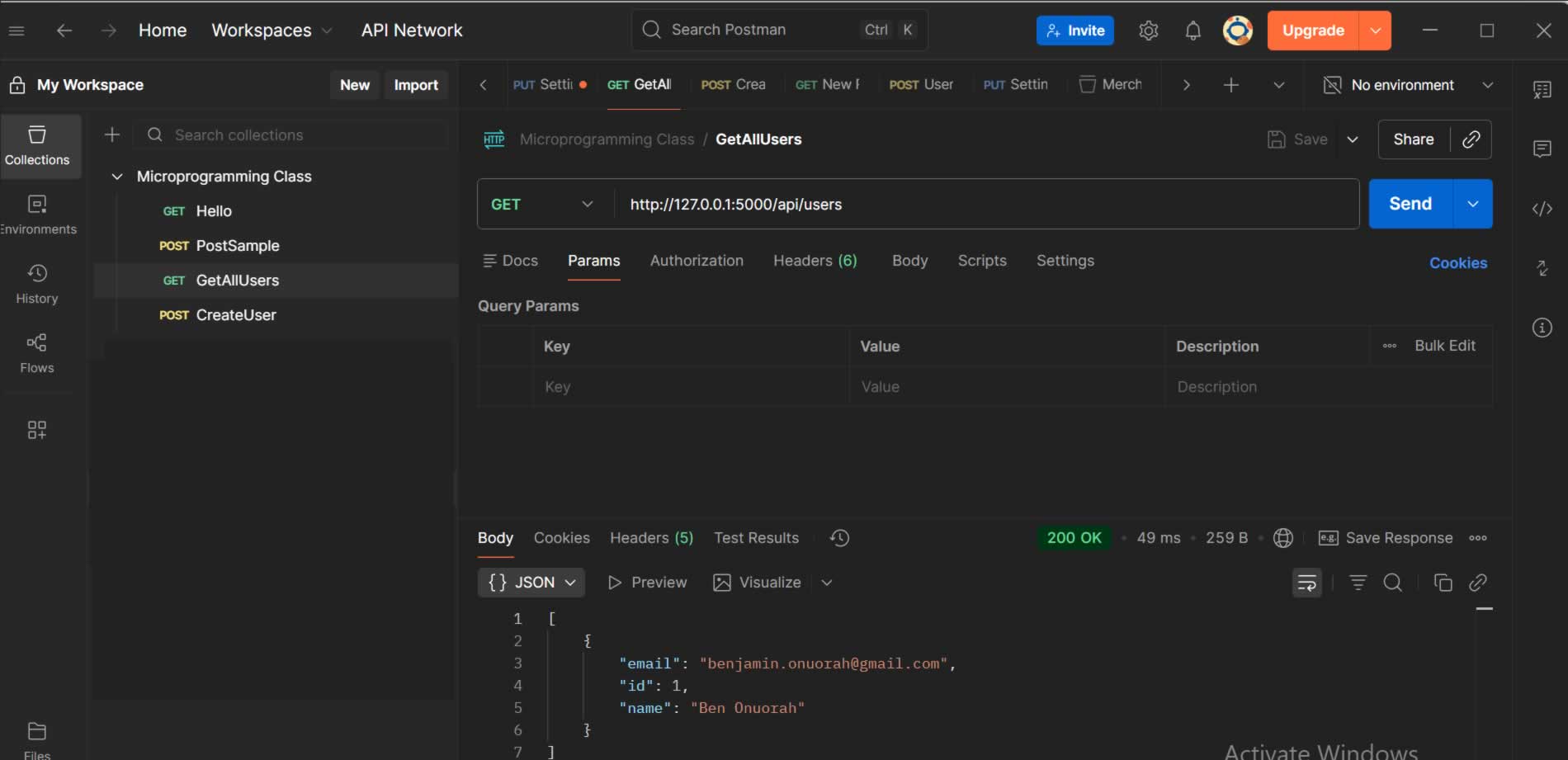
Postman GET: to retrieve all record in the table
By: Vision University
Comments
No Comment yet!
Login to comment or ask question on this topic
Previous Topic
- 1 Introduction to Microservices
- 2 Introduction to API
- 3 Database Design
- 4 Introduction to MySQL
- 5 Building CRUD API using Flask and MySQL